Choosing the Best Photos for Window Peeper: People, Pets, and Better Results
 Window Peeper Team
Learn how framing, visible eyes, lighting, backgrounds, and a controlled testing routine can make your photo-to-video experiments easier to evaluate.
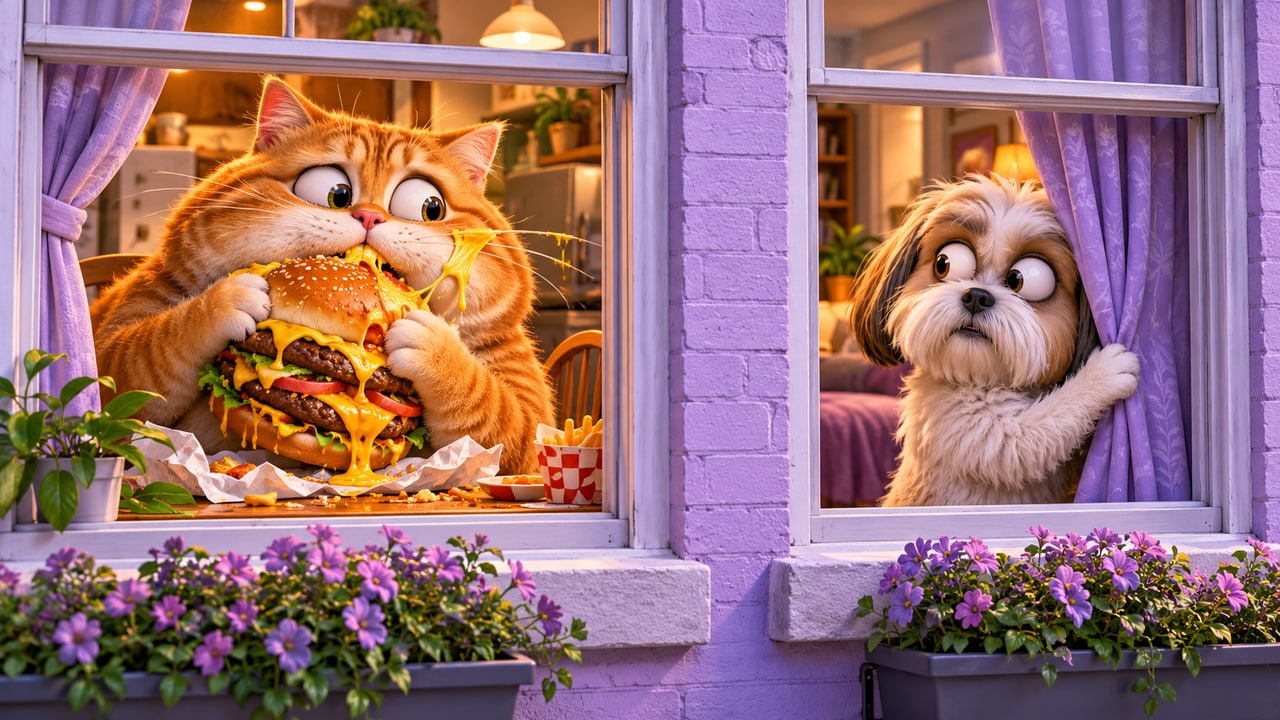
The most useful improvement to an AI video experiment often happens before you press Generate. A source photo determines what information the model receives about your subject. If the face is tiny, the eyes are hidden, or several people compete for attention, the system has a less clear starting point. Choosing a better input does not guarantee a perfect video, but it gives you a more sensible way to test ideas and compare results.
Window Peeper combines your picture with a fixed motion-reference clip. That means you do not need to recreate the entire window scene inside the uploaded photo. Your task is to make the person or pet understandable. This article focuses on selecting and preparing that image, then using a small comparison process to decide whether a change actually helped.
Look for a readable face before an impressive background
Start by asking whether a stranger could immediately identify the main subject in the photograph. A simple portrait often passes this test more easily than a dramatic landscape in which a person occupies a small corner. The model needs information about the character; a beautiful skyline is not a substitute for visible facial detail.
You do not have to remove every object from the background. Instead, avoid backgrounds that introduce another face, a large poster, a mirror reflection, or a bright shape that competes with the subject. If the photograph contains two equally prominent people, choose another image with one subject. This makes the creative intention clearer without requiring complicated editing.
Keep the eyes and face unobstructed
The reaction is an important part of the window-peeping idea. Visible eyes help the source image communicate attention and expression. Sunglasses, a hand across the face, heavy motion blur, or hair covering both eyes can make that information less available. A neutral or gently amused expression is a useful starting point because it is easy to inspect and compare.
A slightly angled head can still provide useful detail, but an extreme profile hides much of the face. If you have several pictures of the same subject, begin with the one that shows the eyes, nose, and mouth most clearly. You can try a more unusual pose later after establishing a baseline. This avoids confusing the effects of pose and model choice during your first experiment.
Choose soft, even light
Good input lighting makes the subject easier for you to evaluate before it ever reaches the model. Soft daylight near a window can reveal facial detail without deep shadows. Harsh backlighting may turn the face into a silhouette, while a strong colored light can make skin or fur difficult to distinguish from the background.
You do not need a professional studio or an expensive camera. Compare available photos and select the one in which important features are easiest to see. Avoid extreme beauty filters and heavy sharpening when you can. They may create an appearance that is already difficult to interpret, making it harder to decide whether later changes came from the source or the generated video.
Crop with enough breathing room
A useful crop makes the subject prominent while keeping the full head and important features inside the frame. A face cut through the forehead or chin is harder to assess than a complete portrait. At the other extreme, a full-body image taken from far away may leave too few pixels for the face. Aim for a comfortable head-and-shoulders composition when selecting a person photo.
Leave a little room around the subject rather than filling every edge. The reference video supplies its own camera movement and environment, so a crop should provide clear identity information rather than attempt to predict every output frame. The final video can reinterpret framing; a source crop is guidance, not a guarantee that the exact same boundaries will be preserved.
Give pet photos the same care as portraits
A pet can be a playful subject for this format. Choose one animal with visible eyes and a recognizable face. A front-facing cat on a plain chair may be easier to evaluate than several dogs running through grass. Motion blur, a toy covering the muzzle, or a very dark face against a dark background can make it difficult to inspect the input.
Keep distinctive markings visible when possible. Fur color, ear shape, and facial patterns are useful details to compare when reviewing the result. AI can still change those details, especially as the subject moves. Look at the complete clip before deciding whether it represents your pet well enough to share. Do not judge identity consistency only from the opening thumbnail.
Avoid common preparation mistakes
A screenshot of a social post can include interface buttons, captions, usernames, and unrelated faces. Use the actual photo file when you have it. A collage can introduce competing subjects and borders. A very compressed image can blur important features. These choices do not always cause failure, but they add uncertainty that a clean source image can avoid.
Do not stretch a small photo to make it appear high resolution. Increasing the file dimensions does not restore missing detail. Likewise, adding a decorative window frame around your portrait is unnecessary for the standard workflow: Window Peeper already uses a reference clip to guide the scene. Spend your preparation effort on selecting a clear subject rather than decorating the input.
Compare two inputs without changing everything else
If you are unsure which photograph works better, choose two candidates and keep the other settings the same. For example, compare a close portrait with a more distant image using the same model, duration, resolution, and aspect ratio. Read each quote before submitting and decide in advance how many experiments fit your credit budget.
Generated outputs are not deterministic comparisons, so one successful clip does not prove a universal rule. Still, controlled choices help you learn more than random changes. Record a brief note about each attempt: which photo you used, what you liked, and what distracted you. A small set of specific observations can become a useful personal checklist for later sessions.
Separate input problems from output preferences
When reviewing a result, distinguish between an unclear source photo, a generation artifact, and a style preference. If the source already hides the eyes, try a clearer image. If the source is clear but the video develops a distorted hand, another generation may differ, but a larger image alone may not resolve the issue. If you simply prefer a different room or expression, that is an aesthetic decision rather than proof that the upload was wrong.
Inspect movement and the ending as well as facial resemblance. Ask whether the camera approach is understandable, the character reaction reads clearly, and the clip remains coherent long enough to deliver the joke. A technically sharp frame can still make a confusing video. Your final judgment should include the whole sequence.
Protect the people behind the pictures
Use photos you own or have permission to process, and be thoughtful about how you share the result. A funny AI scene can be misunderstood if it looks like a real recording without context. Obtain agreement before using someone else's portrait, especially when the intended joke could embarrass them. For pets, choose an ordinary photo; there is no need to stage an uncomfortable or unsafe situation to create an input.
Uploaded inputs are processed by the generation provider through a temporary link. Your results remain in your account rather than automatically appearing in the public example gallery. Review the site's privacy information if you need details before uploading. Avoid putting sensitive documents or unrelated personal information in the image background.
A short checklist before your next generation
Before opening the generator, check that your photo contains one clear subject, visible eyes, a complete face, comfortable framing, and readable lighting. Remove unnecessary screenshot borders if you have an original image available. Decide which settings you will keep fixed, check the quoted credits, and submit one deliberate test.
Afterward, watch the entire result and choose one practical next step. You might keep the clip, choose a closer portrait, or try a different output shape. For the complete upload-to-download process, read our Window Peeper beginner guide. Better inputs and deliberate review will not remove every uncertainty in AI video, but they make the creative process easier to understand and control.